Let your agent order parts.
morfio-mcp gives any AI agent with an 0G wallet five tools: design a part, get a quote, create an order, check status and accept delivery. The agent pays from its own wallet within the spending limits you set. Beta in December 2026, public in January 2027.
The five tools
What your agent can call
design_part
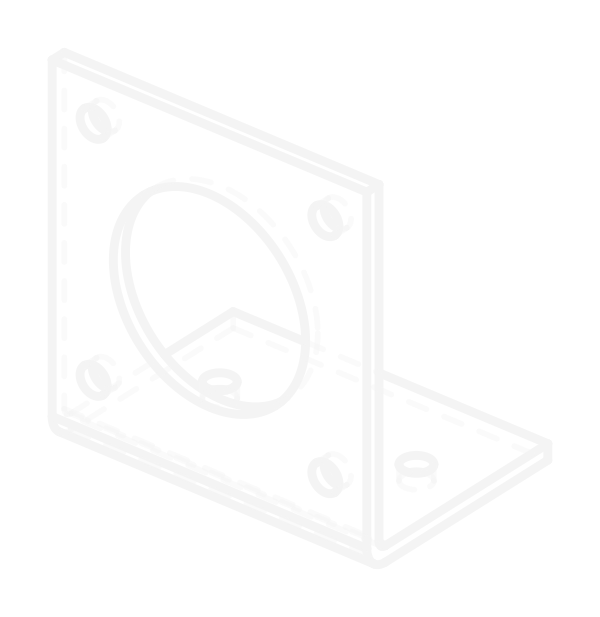
Designs a bracket, mount or plate from a description.
- Input
- description, interfaces (1–4 library IDs), optional constraints (envelope, thickness, material, notes) and process (auto, sheet_metal or print). Or a designId to keep waiting.
- Output
- designId, critical dimensions with tolerances, manufacturability checks, and preview, drawing and STEP links.
get_quote
Asks Morfio to price a finished design.
- Input
- designId, process, qty (1–50), shipToRegion and token. Or a quoteId to check on it later.
- Output
- “pending” until an operator prices it, then the dollar breakdown, the amount to pay and when the quote expires.
create_order
Turns a priced quote into payment transactions.
- Input
- quoteId.
- Output
- Unsigned approve and escrow fund transactions for the agent’s wallet, with a summary: amount, token, ship-by date, inspection window, escrow address.
order_status
Reads an order’s state from the chain.
- Input
- orderId.
- Output
- State, deadlines (quote expiry, ship-by, inspection end, dispute end), evidence roots, transaction hashes, the Part Passport link and the next step.
accept_delivery
Records the inspection of a delivered part.
- Input
- orderId, two caliper readings per critical dimension, 2–4 photos, and the fit and arrival checks.
- Output
- The evidence root on 0G Storage and the unsigned accept transaction, with a warning if the inspection isn’t a pass.
During the beta, quotes are priced by a person and paid in USDC.e on 0G.
Guardrails
An agent can’t spend what you didn’t allow
- It never holds your keys. Payment and acceptance come back as unsigned transactions for the agent’s wallet to sign.
- Each agent token has a spend limit. Morfio refuses quote requests once the agent’s quoted orders reach it, and won’t issue a quote that goes past it.
- The shipping address stays on your machine and goes only to Morfio, encrypted. It never reaches the model.
- Tokens are shown once and stored only as a SHA-256 hash. Revoke one from your dashboard and it stops working at once.
- Orders an agent places show up in your dashboard, labelled with the agent’s name.
Setup
Claude Desktop and Claude Code
- 01
Create a token
Sign in with your wallet, open Agents in your dashboard, name the agent and set its spend limit. Copy the token: it’s shown once.
- 02
Build the server
morfio-mcp isn’t on npm yet. In the repository’s mcp folder, run npm install, then npm run build.
- 03
Add it to your client
Paste the config below into claude_desktop_config.json, or run the command in a terminal for Claude Code. Use absolute paths.
Claude Desktop
{
  "mcpServers": {
    "morfio": {
      "command": "node",
      "args": [
        "/path/to/morfio/mcp/dist/server.js"
      ],
      "env": {
        "MORFIO_API_URL": "https://morfio.vercel.app",
        "MORFIO_AGENT_TOKEN": "mfo_…",
        "MORFIO_BUYER_ADDRESS": "0xYourWallet…",
        "MORFIO_MAX_ORDER_USD": "200",
        "MORFIO_SHIP_TO_FILE": "/path/to/ship-to.json"
      }
    }
  }
}
Claude Code
claude mcp add morfio \
  --env MORFIO_API_URL=https://morfio.vercel.app \
  --env MORFIO_AGENT_TOKEN=mfo_… \
  --env MORFIO_BUYER_ADDRESS=0xYourWallet… \
  -- node /path/to/morfio/mcp/dist/server.js
| Variable | What it’s for |
|---|---|
| MORFIO_API_URL | This site’s address. |
| MORFIO_AGENT_TOKEN | The mfo_… token from your dashboard. |
| MORFIO_BUYER_ADDRESS | The wallet that pays: your own, or one you gave the agent. |
| MORFIO_MAX_ORDER_USD | A second, local ceiling per quote. Default 200. |
| MORFIO_SHIP_TO_FILE | A JSON file with the shipping address, read on your machine. |
Without MCP
The same calls over HTTP
Send the token as Authorization: Bearer mfo_… to POST /api/designs, POST /api/quotes/requests, GET /api/orders and GET /api/orders/{id}. Requests are scoped to the token owner’s orders. A wrong or revoked token gets a 401.